Sunday, November 6, 2011

Assignment 3: Urban Fantasy

For this assignment, I decided to take on an apocalyptic stand when it comes to urban fantasy.


Original Images


Online Imageries


Developmental Process


Final Output

Urban Fantasy- Apocalypse

What happens to a beautiful cityscape if we do not take good care of it? Excessive consumption of natural resources such as oil, coupled together with humans-mediated activities like war and starvation, nothing bodes well for the humankind. A juxtaposition of what might happen in the future against the current serene city is used to warn us to take immediate actions now, or else suffer dire consequences.


The second image (right) was created (tweaked) after receiving comments that the positions of the 3 symbolic images are too "safe" in terms of positions, and that I need to improve on the transparencies as well.

Sunday, October 9, 2011

Tutorial 3: Photoshop techniques

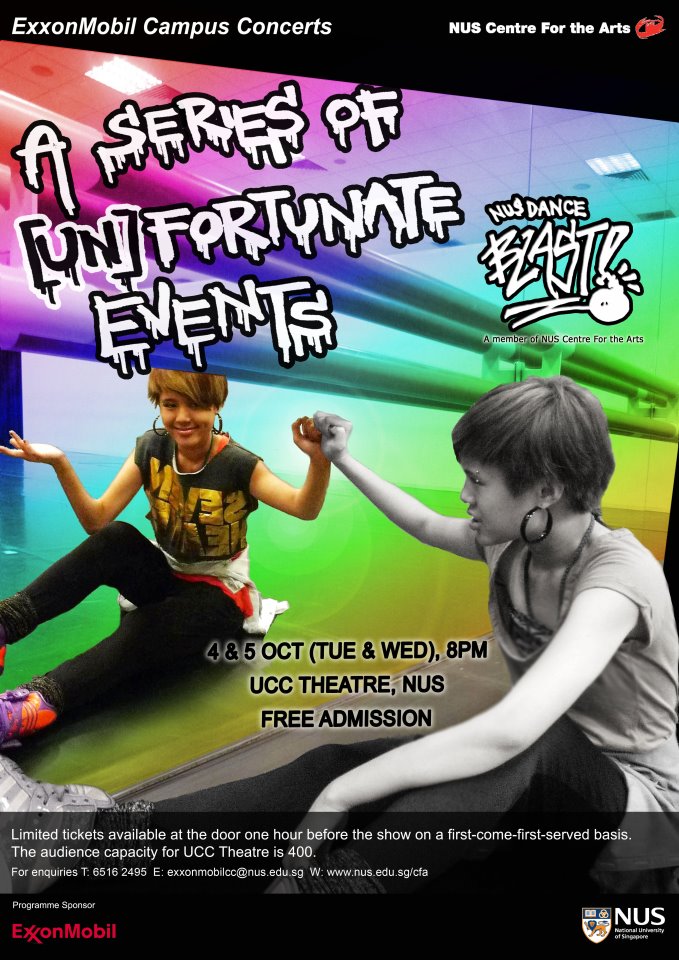
I didn't attend the tutorial this week because I was involved in this:


That being said, I managed to learn a tip or two after lecture from Shane, our damn-zai classmate, where he shared with us the technique on masking.

To put things simply, (in my own words and interpretation)
Masking = non destructive way of editing of images. Goes hand in hand with blending.

And the "refine edges" in CS5, works miracles and speed up the selection process!

Last but not least, I learned about the "clone" stamp in Adobe Lightroom (no doubt it's not photoshop, but still!), where it covers blemishes better than in Photoshop! 'Cause it automatically copies the area around the spot, unlike photoshop where you manually select the area to copy. Goodbye pimples! 

I shall put these into good use into my next assignment (esp. masking!)

Peace out!


Assignment 2: Keitai Phenomena: Emotions

Emotions
When you are down and alone, what do you do?
What if you don't want to burden your friend by calling her?
You need comfort, you need to speak out. 
What do you do?

Camera:  a memory-capturing device, a communicative device, and an expressive device. 

With mobile camera phones, the mobility it gives to us increases the opportunities to take photographs. 
That means we are able express ourselves and present our unique view of the world to others better.


The collection of the 4 images below depicts the emotions evoked/state of mind during moments where camera may be too bulky/depressing to express the negative feelings one may have. This is where camera phone images occupy a niche that is more personal, fleeting, and commonplace’. (Okabe & Ito, 2006)

Desperation

Devastation

Frustration

Seclusion
To some, these pictures might be brushed off as being mundane and trivial, but as Richard Chalfen argues, personal photography is ‘primarily a medium of communication’. Put yourself into the shoes of the photographer and imagine the emotional curve she is experiencing and perhaps you may find days where you can relate to the feelings depicted.

Lecture Class: Photomontage vs Digital Collage

As we progressed on with the class, a question remained: what's the difference between photomontage and digital collage? Despite the similarity of presentation, there is undoubtedly certain factors that set them apart:
Digital Montage vs Photomontage
  • The fragments combined in a digital collage retain a separate visual identity. They have edges, often torn or jagged and usually cutting across the shapes both of the piece in its original, uncut state and across other pieces in the composition.
  •  The fundamental compositional relation is juxtaposition in digital collage, and  merging/emergence in photomontage. 
  • The space of a digital collage is very abstract, rarely that of a representational frame, whereas in photomontage, the blending images somehow inhabit a single world.

Hence we set out on a journey in groups to search the good collage/montage examples out there in the cyber world:


1) http://www.nfctd.com/home.html


This website presents an interesting juxtaposition of images, times, technologies and artistic visions. It takes digital collage further, incorporating interactive elements (flash interactive) in the artwork. Together with sound and interactivity, the result is stunning. Artist Caleb Johnston detailed engravings of people, plants, animals, anatomical diagrams and decorative letterforms and make them animate, morph, and dissolve into one another in novel ways.


It does require a bit of perseverance to get some of the screens to “complete” and move on to the next one, especially if you are impatient and your internet loads slowly.


The gallery is interactive in that it depends on you move your mouse around to find “hot spots” within each image, and click on them to trigger animated sequences. Click, or re-click, on enough of them in a given image and you will trigger a progression to the next collage in the sequence.
2) http://www.christophegilbert.com/index_high.html


Thanks to my classmate, Shane, I get a chance to view the works of a wonderful artist. The photoshop skills displayed here are simply jaw dropping. The works done by digital artist Christopher Gilbert are absolutely brilliant in creativity, content and color. 
Some are thought-provoking, some are wierd, others are ingenious. Overall, it's just wonderful.


3. http://www.maggietaylor.com/

The images were first spotted in the US drama series, Ghost Whisperer, as the opening theme. My classmate Melissa shared with me how fascinated she felt seeing how interactivity merges with still pictures. The website features what Maggie Talylor describes as pictures with a more muted “1940s”.

These images were done by combining and recombining scans and photographs in photographic still-life collages, a personal style she developed while earning her master’s degree.


Very wonderful indeed. 


Sunday, September 25, 2011
Tutorial 2: Mobile Art


Tutorial 2 requires us to think hard about what is so special about the handy tool we always carry around us- our mobile phone.

Theme of the tutorial: Find the extraordinary among the ordinary.

And so the journey begins:


I liked the final photo because of the irony between cigarettes and a no smoking campus.To some people, such photos might be meaningless, but mobile art is akin to presenting personal experience on photographs.Ending quote: The best camera is the one you have with you.

Sunday, September 18, 2011

Assignment 1: Focus & Motion

I was thrilled when I received this assignment. It was simple: To produce a minimum of 4 pictures that feature 1) Shallow Depth of Field (DOF), Deep DOF, Freeze, Blur Motion and Panning (Optional). No restrictions of subject/ themes so long they fulfill the technical requirements.

The moment I managed to borrow a DSLR from the school, I went away snapping. Lionel was right. The best way to gain experience in photography is to take more photos with the DSLR. Through this assignment, I understood a little more on tweaking aperture, shutter speed and ISO settings to achieve a balance in the exposure triangle.

Device Model: Canon EOS 550D

Shallow DOF

F number: 5.6
Exposure Time: 1/500

I liked the photo above because of how "lonely" the pallet felt against the background. The light and shadow, together with the "bokeh-ed" sink at the back makes it rather surreal. I was worried that the subject might not be interesting as compared to the rest, therefore I didn't pick it for the presentation.


F number: 5.6
Exposure Time: 1/320

The photo featured a brooch on top of my mum's sewing machine. It was a time when the evening sun shone beautifully on the machine and I just had take photos with it.  I like how light and shadows interact with each other in photos. I added a little brown in the photo to create a more vintage look. Nonetheless during the critique session, comments shared are that the metals at the background somehow distracts the subjects, rendering the image less aesthetically pleasing.  


F number: 5.6
Exposure Time: 1/1000


This was the photo that was chosen in consensus when I asked the class which is better. I liked this image because of how both the foreground and background are blurred, leaving just 1 flower in the middle to stand out. Jing pointed out that the colour contrast might not be enough. Perhaps the yellow filter might not be good enough. I'll try again then.

Deep DOF

F number: 22
Exposure time: 2"

Initially, to me, an typical image that has Deep DOF is the cityscape of Singapore. Every detail is captued, and the buildings, even though they are far, can still be seen very clearly. I didn't have the time to take something like that. I was in Macritchie Resevoire chasing after the sun hoping to get a very nice sunset shot. The more I take the more I realise that this can only be a wide-angle photo. Jing pointed out that an effective Deep DOF photo makes the foreground, midground and background clear at the same. Hence my photos need to have all 3 elements in order to highlight the Deep DOF-ness. Thus, even though some of my classmates liked this photo, it doesn't really answer to the requirement of the assignment.

Blur Motion

Thing to note: It's best to shoot with a tripod for blur Motion pictures. Because of the slow shutter speed, the background might be blurred even if there is a small movement with your hands. I tried so hard to get my hands steady while shooting for these photos because I didn't borrow tripods. It was really a tough time.


F number: 9
Exposure Time: 6"


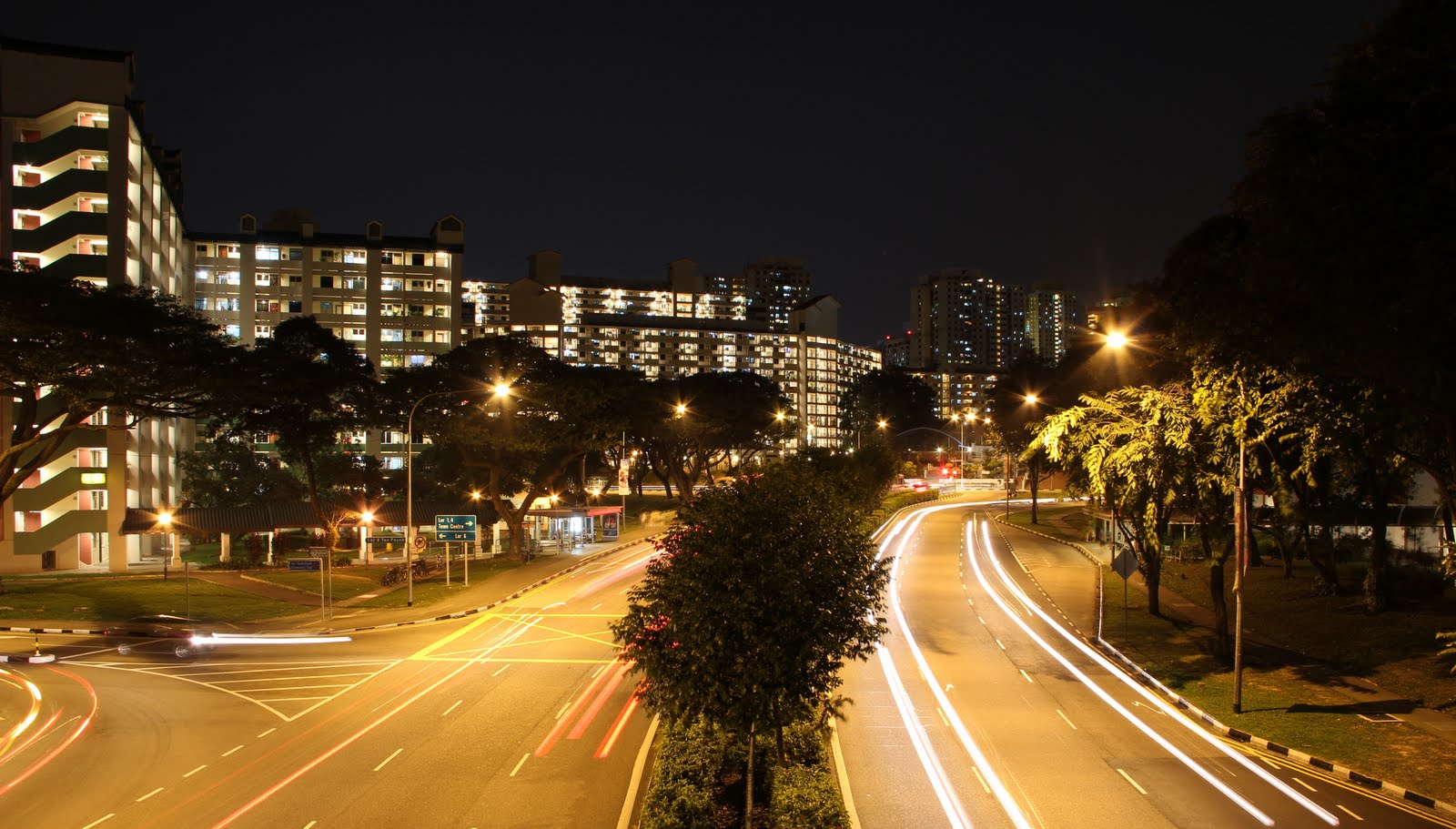
I took this image to juxtapose the roads with the neighbourhood. The comments given were that they prefer the image below as it focus more on the blur motion contributed by the cars. This image would be good if the theme is on neighbourhood. It's all about answering the requirement.


F number: 5.6
Exposure Time: 6"

Original photo
Edited photo
To focus more on the blur motion by the cars, I cropped the plants away and adjust the colours to bring out the contrast. Perhaps too much contrast makes the over-exposure even more obvious. 

Freeze Shots

F Number: 9
Exposure time: 1/4000

F Number: 9
Exposure time: 1/4000
F Number: 5.6
Exposure time: 1/1000


F Number: 9
Exposure Time: 1/4000

The difficulty about taking these shots is how you can freeze an action that happens so fast. I could only get about 30 usable shots out of the 1000 continuous frames I shot. And 4 decent shots out of the pile. I chose the final one for critique session, and it seems that the consensus was the background was blur because it was out of focus, rather than having the bokeh effect. Maybe if everything is blur except for the middle flower the bokeh effect will be more convincing. We acknowledged that keeping these in focus are difficult because we cannot control the movement of these petals. Instead of throwing upwards, some suggested dropping it down, but the effect was not what I wanted (as shown in the first 2 photos). I couldn't understand when some suggested dropping it and tilt the camera upside now- wouldn't the effect be the same as taking it the right way and tilt it 180 degrees in photoshop? One suggested to simply increase the deep of field, so that i can capture every detail. I suppose that sounds feasible, and I'm going to try that. 

All in all, this assignment really helped in getting myself familiarised with the DSLR. And I'm very proud of my experiences with the camera. Hope this will sharpen my skills in the future!

p.s. I'll try shooting people from the front!

Friday, September 9, 2011

The Beginning of a DSLR-student

It's pretty amazing still, as I looked back at just 2 weeks ago when Lionel came over to NM3223 class and gave an intro lecture on DSLR. I must thank my friend CJ for lending me his precious DSLR for that lecture so that I could have some hands-on practice. And of course Lionel for his lenses and his wonderful tips.

Being a person with no prior experience with DSLRs, it was a bit of challenge to understand the relationship between aperture, shutter speed and ISO. With this funnel embedded in my mind, we had a little practice outside the class:

Jing was describing that Panning shot works when you follow your camera along with the subject as you take your shot. This makes the subject clear while the background becomes blur. This helps to add another dimension of movement to the photo. The best angle is to take the side profile, as this allows maximum distance to pan.

And Lionel added that it's wise to switch of the image stabiliser to achiever a better panning shot.

Shallow Depth of field (SODF): I always love how people looked so beautiful with the background being blurred out. Now that I've found out that the aperture is the main component you should work with for SODF. And Lionel was kind enough to lend me his lens that allows me to achieve an aperture of 1.4!

Worried that I didn't grasp the technique of DSLR, I went to attend another photography workshop organised by Natstudios in NUS. He taught us how to hold a DLSR properly, the standing positions etc. And his photos somewhat inspired me to take a photo for my assignment 1. =)

I was with my friend, and I had the previlege to try my shots and show how the SODF works (foreground clear background blur instead of the reverse for the previous SODF shot). The colour was a little wierd, maybe it has got to do with the white balance. But I adore how the the background blurred, creating shimmering effect.

That marks the initial contact with a DSLR. And things are going to be more exciting!

- Jo the aspiring photographer